Last verified: August 3, 2026. I checked DVB’s current Service Information and service-discovery metadata references, Kodi’s PVR/EPG documentation, and the XMLTV project links below. EPG labels, refresh timing, and channel mapping vary by provider, app, device, and region.
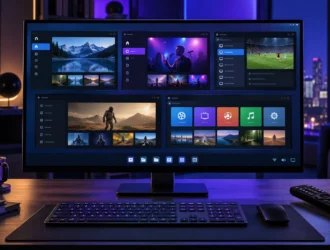
An electronic program guide, or EPG, is the on-screen schedule that shows what is playing now and what is coming next. It can display channel names, program titles, start and end times, descriptions, ratings, artwork, and other schedule information.
The guide is data about television programs, not the video stream itself. A channel can play while its guide is empty, and a complete guide can appear even when the underlying stream is unavailable.
How an EPG fits into streaming
The basic relationship looks like this:
Authorized channel source → playlist/account → player → picture and sound
Schedule data source → EPG feed → player → guide grid and details
channel IDs join the two pathsThe player must match a channel in the playlist or account with the correct channel in the schedule feed. If the identifiers do not match, the player may show “No information,” attach the wrong schedule, or leave the channel unmapped.
EPG terms at a glance
| Term | Meaning |
|---|---|
| EPG | The user-facing electronic program guide |
| Schedule data | Program titles, times, descriptions, and related metadata |
| XMLTV | A common XML-based format and tool ecosystem for TV listings |
| Channel ID | An identifier used to associate schedule data with a channel |
| Time offset | A manual adjustment when displayed listings use the wrong time basis |
| Refresh interval | How often a player or backend requests updated guide data |
| Catch-up | Access to an earlier broadcast; it is not the same as schedule data |
What data an EPG can contain
At minimum, a useful guide associates a program with a channel and a start and stop time. Depending on the source and player, it may also include:
- episode and season information;
- a synopsis and category;
- age or content ratings;
- language and subtitle information;
- cast, director, or production year;
- icons or program artwork;
- live, premiere, repeat, or previously shown indicators.
The DVB Service Information specification explains that schedule information carried in digital television systems can be used as the basis for an EPG. It deliberately leaves the presentation to receiver manufacturers, which is why guide layouts and features differ among televisions and apps.
What XMLTV means
XMLTV is a project and XML-based format used to obtain, manipulate, and exchange television listings. In a simplified XMLTV document, a channel has an identifier and each program refers to that channel identifier.
This non-working example uses fictional data:
<tv>
<channel id="example.news">
<display-name>Example News</display-name>
</channel>
<programme start="20260802190000 +0000"
stop="20260802200000 +0000"
channel="example.news">
<title>Example Evening Bulletin</title>
</programme>
</tv>The important relationship is channel="example.news": the program entry points to the channel with the same ID. A real guide can contain many channels and thousands of program entries.
XMLTV describes schedule data; it does not supply television rights or a channel subscription. Avoid guide files from unknown sources because their URLs may contain credentials and their contents can reveal or manipulate external links.
Channel mapping: how the guide finds the right stream
Mapping connects the schedule channel to the playback channel. A television-oriented M3U playlist may include a tvg-id value, while an XMLTV feed includes its own channel IDs. A player can automatically match them when the values agree.
For example:
Playlist channel ID: example.news
XMLTV channel ID: example.news
Result: guide data can attach automaticallyIf one side uses example.news.hd and the other uses example.news, automatic matching may fail. Some players let users assign an EPG channel manually. Use the player’s official documentation because menu names and matching rules differ.
Our M3U playlist explainer covers the playlist side of this relationship. The broader IPTV, player, and live TV streaming guide explains why the player and content service are separate products.
Why EPG times are wrong
Guide times must be converted from their source time zone to the device’s local time. Wrong listings commonly result from:
- an incorrect time zone or clock on the streaming device;
- guide data with a missing or incorrect UTC offset;
- daylight-saving changes handled incorrectly by the source or player;
- a manual time offset left over from earlier troubleshooting;
- a provider publishing schedule data for a different regional feed.
Start by setting the device clock and time zone to automatic. Refresh the guide. Apply a manual offset only after confirming that every listing is shifted by the same amount; otherwise the source data or channel mapping may be wrong.
Refresh intervals and stale listings
Schedules change. Live sports can run long, broadcasters can replace a program, and providers may correct metadata. Players therefore refresh guide data periodically.
A shorter interval can retrieve changes sooner but creates more network and processing activity. A very long interval can leave old listings on screen. The correct setting depends on the player and provider. If the guide suddenly becomes empty, request one manual refresh and wait for the import to finish before repeatedly clearing data.
Deleting and re-importing a large guide should be a later troubleshooting step because it removes cached information and can temporarily make the guide look worse.
EPG versus catch-up television
An EPG tells you what aired. Catch-up provides access to an earlier broadcast when the service has the necessary rights and technical support. A historical guide entry is not evidence that the program can be replayed.
The official TiviMate listing separates its EPG, catch-up, and recording features. That is a useful reminder that a guide grid, replay access, and local recording are different capabilities.
EPG privacy and security
An EPG feed URL may include an account identifier, username, password, or token. Treat it like a private playlist URL:
- do not paste it into public forums or screenshots;
- do not upload it to URL-checking websites;
- use only the service’s official support channel;
- remove the feed before selling or giving away a device;
- avoid modified players with preloaded guide sources;
- verify the operator and privacy policy before connecting a device.
The guide operator may see the device’s IP address, request time, and account token when the feed refreshes. A VPN does not make an unknown operator trustworthy or establish content rights.
Quick troubleshooting order
- Confirm the channel itself plays from an authorized source.
- Check the device date, time, and time zone.
- Confirm the EPG source is enabled and the account is active.
- Run one guide refresh and allow it to finish.
- Check whether all channels or only one channel lack data.
- Compare the playlist channel ID with the guide channel ID.
- Remove unnecessary manual time offsets.
- Escalate to the provider with the channel name, device, app version, and time of the failed refresh—never the public credential-bearing URL.
If channels play but every guide entry is empty, investigate the guide source before changing network settings. If one channel alone is wrong, mapping or regional schedule data is more likely.
Frequently asked questions
Is an EPG included in every IPTV player?
No. A player may support guide display, but it still needs compatible schedule data from a tuner backend, broadcaster, or authorized service.
Is XMLTV the only EPG format?
No. Broadcast systems and streaming platforms can use other service-information and metadata standards. XMLTV is simply a common format in open media-center and playlist workflows.
Why does my guide show “No information” while the channel works?
The schedule feed may be unavailable, stale, disabled, or incorrectly mapped. Playback and guide data travel through separate paths.
Can an EPG URL expire?
Yes. Private feed tokens, accounts, or provider endpoints can expire or change. Obtain a replacement only through the verified provider.
Does an EPG prove that a service is legal?
No. Schedule metadata is not a content license. Verify the company and its authority to distribute the channels in your location.
If listings are blank, shifted, stale, or missing for only some channels, use our IPTV EPG diagnostic and channel-mapping guide before applying a global offset or clearing all app data.
Primary sources
- DVB: Service Information specification
- DVB: Service discovery and programme metadata
- XMLTV project documentation
- XMLTV document type definition
- Kodi Wiki: PVR basics
- TiviMate IPTV Player on Google Play
Reviewed by Start2Watch on August 2, 2026. Guide formats, app features, and provider endpoints can change; verify current documentation before configuring an EPG.